
Here’s something nobody tells you about running a business: you’ll spend more time wrestling with spreadsheets than actually building your empire.
I recently spoke with a cafe owner in Wimbledon who’d been using the same desktop accounting software since 2011. She stored everything on one battered laptop. When that laptop died during the summer heatwave (overheating—classic), three years of financial data nearly vanished with it. Her backup? A dusty external hard drive that hadn’t been updated since March.
This is the reality traditional accounting systems have trapped businesses in for decades. But here’s the twist: cloud accounting is changing everything, and it’s happening faster than most business owners realise.
The Quiet Revolution Nobody’s Talking About
Walk into any London accountancy firm today and you’ll notice something peculiar. Those filing cabinets that once dominated every corner? Gone. The stacks of lever arch folders? Mostly decorative. The whirring servers in the back room? Replaced by a subscription to Xero or QuickBooks that costs less than a decent lunch.
According to recent industry data, four in five accountants now use cloud solutions, and 47% of UK accountants are currently using cloud-based software with a further 34% using a mixture. That’s not just a trend—that’s a seismic shift.
But what exactly makes cloud accounting so revolutionary? And more importantly, should your business be making the switch?
What Cloud Accounting Actually Means (Without the Tech Jargon)
Let’s cut through the marketing speak. Cloud accounting simply means your financial data lives online instead of trapped on your office computer. Think of it like the difference between keeping all your photos on your phone versus storing them in Google Photos or iCloud.
Cloud accounting is provided on subscription basis, known as software-as-a-service (SaaS), meaning users pay a monthly fee rather than shelling out thousands for software licenses that become outdated within two years.
Your invoices, expenses, bank transactions, VAT returns—everything sits on secure servers that you access through any device with internet. Desktop died? No problem. Spilled coffee on your laptop? Your data’s perfectly safe. Need to check your cash flow position whilst sitting in a traffic jam on the M25? Pull out your phone.
It sounds almost too simple, doesn’t it?
The Hidden Genius Behind the Technology
What most people miss is how cloud accounting transforms the tedious bits of financial management into something that actually works with you rather than against you.
Here’s a real example: traditional accounting meant manually typing in every bank transaction. Every. Single. One. With cloud accounting, banking transactions flow automatically from the bank to the books, saving you from a lot of data entry.
The software connects directly to your bank account and imports transactions automatically. Then—and this is where it gets clever—it learns from your categorisation patterns. After a few weeks, it starts suggesting how to categorise new transactions. You’re not doing data entry anymore; you’re just checking the software got it right (which it usually does).
Why Traditional Accounting Systems Are Becoming Obsolete
Remember when everyone thought desktop software was the pinnacle of business technology? Turns out we were wrong. Spectacularly wrong.
Traditional systems lock your data into one machine. Only one person has user access which can mean key people can’t access financial and customer details. Want to share information with your accountant? You’ll need to export files, email them (hope they don’t exceed the attachment limit), wait for responses, then manually import any changes back into your system.
It’s like using a typewriter when everyone else has moved to Google Docs.
The cost structure tells its own story. Traditional accounting software requires upfront payment—often £500 to £2,000 for a single license—plus annual upgrade fees. If your business grows and you need more users? Pay again. Computer crashes? Buy the license again.
Cloud accounting flips this model entirely. You pay monthly (typically £10-£50 depending on your needs), and everything—updates, backups, support—is included. Scale up or down as your business changes. No hardware required beyond whatever device you’re already using.
The Seven Ways Cloud Accounting Changes Your Business
1. Work From Literally Anywhere
This isn’t just convenient—it’s become essential. A quarter of accountants (25%) said that their main motivation for implementing cloud technology was having the ability to work remotely.
Post-pandemic, the ability to access your accounts from home, a client’s office, or whilst travelling isn’t a luxury. It’s expected. Cloud accounting makes this effortless because your data isn’t tied to a physical location.

I know a property developer in South West London who manages three ongoing projects simultaneously. He checks his financial position every morning before leaving home, approves supplier invoices whilst visiting sites, and sends client invoices from his car between meetings. Try doing that with traditional desktop software.
2. Real-Time Financial Clarity
Here’s something that catches people off-guard: cloud accounting gives you live data. Not yesterday’s numbers. Not last week’s position. Right now.
Real-time data is particularly crucial for managing cashflow—a vital aspect of business management. Traditional accounting creates a time lag between recording transactions and seeing them reflected in reports. By the time you spot a problem, it’s already affecting your business.
Cloud systems update instantly. Invoice a client? It appears in your accounts immediately. Pay a bill? Your cash position updates in real-time. This immediacy transforms how you make decisions. Instead of waiting for month-end reports, you have a live dashboard showing exactly where your business stands financially.
3. Automation That Actually Saves You Hours
Manual data entry is soul-destroying. It’s also where most accounting errors creep in—transpose two digits and suddenly your expenses are wrong by thousands.
| Task | Traditional Method | Cloud Accounting |
|---|---|---|
| Bank Reconciliation | 2–3 hours weekly | 15–30 minutes weekly |
| Invoice Creation & Sending | 10–15 mins per invoice | 2–3 mins per invoice |
| Expense Tracking | Manual entry & filing | Photo receipts via mobile app |
| VAT Return Preparation | 4–6 hours quarterly | 1–2 hours quarterly (mostly checking) |
| Financial Reports | Generated manually month-end | Instant, available anytime |
| Sharing data with accountant | Export files and email exchanges | Accountant has instant access |
That’s not an exaggeration. The time savings are genuinely dramatic. What used to consume entire afternoons now takes minutes.
4. Security That’s Actually Better Than Your Office
This surprises people, but cloud storage is typically more secure than keeping data on your office computer.
Think about it: your computer has whatever antivirus you remembered to install. Cloud providers employ entire security teams. Cloud accounting providers have dedicated security teams and protocols in place to protect their clients’ financial information, conducting regular tests, implementing secure environments and backing up information.
They use bank-level encryption, regular security audits, multi-factor authentication, and automatic backups. Your office computer? Probably none of those things.
Plus—and this is crucial—an overwhelming majority of accountants express either moderate or complete trust in cloud-based systems, with three-quarters showing strong confidence. These are people who handle sensitive financial data for a living. If they trust cloud systems, that’s worth paying attention to.
5. Collaboration Without the Email Chaos
Ever tried collaborating on accounts via email? It’s a nightmare of “Final_version_3_ACTUALLY_FINAL.xlsx” files bouncing back and forth.
Cloud accounting eliminates this chaos entirely. Multiple users can access and work on the same set of data simultaneously. Your bookkeeper updates transactions in the morning. Your accountant reviews them in the afternoon. You check the reports in the evening. Everyone’s looking at the same current data. No version conflicts. No confusion about which file is the most recent.
This becomes invaluable when working with external professionals. At Ask Accountant, we’ve seen how transformative this real-time collaboration can be for businesses—particularly for those needing business advisory support or comprehensive bookkeeping services. Instead of waiting for quarterly meetings to discuss your finances, we can monitor your accounts continuously and flag issues before they become problems.
6. Making Tax Digital Compliance Made Simple
Unless you’ve been hiding under a rock, you’ll know HMRC’s Making Tax Digital (MTD) initiative is reshaping how UK businesses handle their tax obligations.
If your qualifying income is over £50,000 for the 2024 to 2025 tax year, you will need to use it from 6 April 2026. The thresholds drop progressively—from April 2027, MTD will apply if your qualifying income exceeds £30,000, and from April 2028, it will apply if your qualifying income exceeds £20,000.
Here’s the thing: MTD essentially requires digital record-keeping. Traditional paper-based systems won’t cut it. You need software that can submit quarterly updates directly to HMRC.
Cloud accounting platforms are built for this. Cloud-based accounting software makes it easier to stay compliant by automatically updating tax codes, generating VAT reports, and preparing your accounts in line with HMRC requirements. The software handles the technical requirements whilst you focus on running your business.
Trying to retrofit traditional desktop software to meet MTD requirements? That’s like trying to teach your old Nokia to run Instagram. Technically possible, but why would you?
7. Scalability Without the Growing Pains
Your business changes. Traditional accounting software doesn’t adapt gracefully.
Need to add another user because you’ve hired a finance assistant? With desktop software, that means purchasing another license, installing it on another machine, setting up complicated network access. With cloud accounting, you click “Add User” and enter their email address. Done.
With cloud accounting, you can add or remove users, features and functionality as your business grows or changes. Scale up when times are good. Scale back during quiet periods. The software flexes with your business rather than constraining it.
The Real Cost Comparison Nobody Shows You
| Cost Factor | Traditional Desktop | Cloud Accounting |
|---|---|---|
| Software license (initial) | £800–£2,000 | £0 (subscription only) |
| Monthly subscription | £0 | £15–£50/month |
| Annual updates/support | £150–£400 | Included |
| Additional user licenses | £300–£800 each | £5–£15/month each |
| Backup solutions | £50–£200/year | Included |
| IT support/troubleshooting | £200–£500/year | Included in support |
| Server/infrastructure | £300–£1,000/year | £0 |
| Data recovery after crash | £500–£2,000+ | £0 (automatic backups) |
| 3-Year Total Cost | £3,200–£8,400+ | £540–£1,800 |
The numbers speak for themselves. Cloud accounting isn’t just more flexible—it’s significantly cheaper over time.
The Challenges Nobody Wants to Discuss
Look, I’m not going to pretend cloud accounting is perfect. It’s not. Every system has trade-offs.
Internet dependency is the obvious one. No internet connection means no access to your accounts. Although, realistically, when was the last time you spent an entire day without internet? Mobile data exists. Coffee shops have WiFi. Even trains have 4G now (most of the time). This concern feels increasingly theoretical.
The learning curve trips people up initially. Any new system requires adjustment. But here’s the reality: cloud accounting platforms are designed for non-accountants. They’re intuitive. Most business owners find themselves comfortable within a couple of weeks. Compare this to learning traditional accounting software, which often requires formal training courses.
21% of accountants expressed concerns about potential downtime during the transition to the cloud, whilst 17% cited a lack of time as a major blocker. These are legitimate concerns. Migrating your financial data from one system to another takes time and attention. But this is a one-time investment that pays dividends for years.
Subscription fatigue is real. Another monthly payment, another login to remember. But consider the alternative: large upfront costs, manual backups, limited access, no automatic updates. Sometimes the subscription model actually simplifies your life rather than complicating it.
What About Data Security? (The Question Everyone Really Wants Answered)
This is where people get nervous. Trusting your financial data to “the cloud” sounds risky. It’s your money, after all. Your business’s life blood. Why would you put that on someone else’s servers?
Here’s the uncomfortable truth: your current setup is probably less secure than you think.
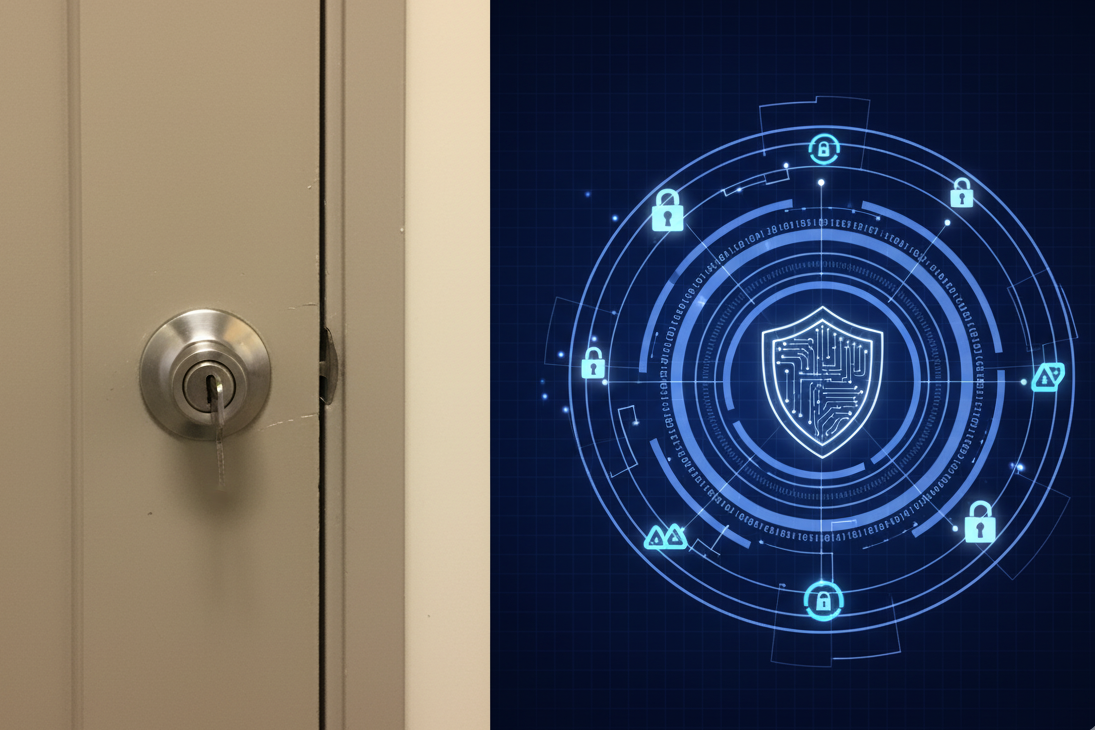
Is your office computer behind a locked door? Does everyone in your office have access? Do you use strong passwords? When did you last update your antivirus? Do you have multiple backup copies stored in different locations? If someone broke into your office tonight, would your data survive?
Cloud providers have security teams working 24/7 to protect your data. They use military-grade encryption. They maintain redundant servers across multiple data centres. They’re compliant with GDPR and other data protection regulations because their entire business depends on maintaining trust.
Despite widespread concerns about cyber-attacks affecting over half of practitioners, confidence in cloud storage remains remarkably strong. The professionals who deal with financial data every day trust cloud systems. That should tell you something.
Making the Switch: A Practical Guide
So you’re convinced. Cloud accounting makes sense for your business. Now what?
Step 1: Choose Your Platform
The big players in the UK market are Xero, QuickBooks, Sage, and FreeAgent. Each has strengths. Xero excels at integrations and has a fantastic app ecosystem. QuickBooks offers robust reporting. Sage has been around forever and integrates well with traditional accounting practices. FreeAgent is brilliant for sole traders and freelancers.
Don’t agonise over this decision. Most platforms offer free trials. Pick one that looks right for your business size and industry, then test it properly. You’ll know within a week whether it suits your workflow.
Step 2: Get Your Data Ready
Migration sounds daunting. It’s not—provided you’re organised. Most cloud platforms can import data from traditional systems. You’ll need recent bank statements, customer lists, supplier details, and outstanding invoices. The setup wizards walk you through the process step by step.
This is where working with accountants who specialise in cloud accounting makes life easier. At Ask Accountant on Merton High Street in London, we’ve migrated dozens of businesses to cloud platforms. We handle the technical bits whilst you focus on running your business.
Step 3: Connect Your Bank
This is where cloud accounting starts feeling like magic. Connect your business bank account to the software using Open Banking protocols (completely secure, by the way—your banking password never gets shared). Within moments, your recent transactions appear in the software, ready to be categorised.
Step 4: Set Up Automation
Create invoice templates. Set up recurring invoices for regular clients. Enable payment reminders. Connect your payment gateway so clients can pay directly from invoices. Configure your VAT settings.
Step 5: Invite Collaborators
Add your accountant, bookkeeper, or business partner to the system with appropriate access levels. They’ll receive an invitation email and can start working with your data immediately.
Step 6: Actually Use It
This sounds obvious, but it’s where people fall down. Cloud accounting only helps if you actually use it consistently.
The Future Is Already Here
Here’s what we’re already seeing in advanced cloud accounting platforms:
Artificial intelligence that categorises transactions automatically with scary accuracy. Machine learning algorithms that predict cash flow patterns and warn you of potential shortfalls weeks in advance. Smart invoice chasing that knows exactly when to send payment reminders based on each customer’s payment history.
Bank reconciliation that happens automatically in the background without you touching anything. Receipt scanning technology that extracts data from photos instantly. VAT calculations that update themselves as tax rules change.
Integration ecosystems that connect your accounts to inventory management, CRM systems, project management tools, and payment platforms. Everything talks to everything else. Data flows automatically between systems without manual intervention.
This isn’t speculation about what might happen in five years. This exists right now. Businesses using modern cloud accounting platforms already have access to these capabilities.
Why This Matters for UK Businesses in 2025
The business environment is changing rapidly. HMRC is pushing digitalisation aggressively. Making Tax Digital places UK businesses on a digital footing, prepares them for the future and gives them the tools they need to succeed in an increasingly competitive landscape.
Remote working isn’t going anywhere. The expectation that you should be able to access your business data from anywhere has become normalised. Traditional office-bound systems feel increasingly antiquated.
Competition is fiercer than ever. Businesses that can make faster, more informed decisions have an edge. Real-time financial visibility gives you that edge. You spot opportunities quickly, identify problems earlier. You make smarter decisions about pricing, expenses, and investments.
Cloud accounting isn’t just about keeping your books electronically. It’s about fundamentally rethinking how your business handles financial information. It’s about automation, collaboration, real-time visibility, and compliance—all wrapped up in software that’s accessible from anywhere, secure by design, and constantly improving.
The Bottom Line (Pun Intended)
Traditional accounting systems had a good run. They served businesses well for decades. But technology has moved on, and so should you.
Cloud accounting platforms are more affordable, more secure, more flexible, and more powerful than desktop alternatives. They reduce administrative burden, improve accuracy, provide better visibility, and prepare your business for increasingly digital tax obligations.
The question isn’t whether cloud accounting represents the future of finance—it clearly does. The question is whether you’re going to embrace this future proactively or get dragged into it reluctantly.
Making the switch now gives you time to learn the system gradually, optimise your processes, and build good habits before MTD thresholds force your hand. Waiting until you’re legally required to change means rushing the transition under pressure.
Need help navigating the move to cloud accounting? The team at Ask Accountant has been helping London businesses make this transition smoothly for years. We’re based at 178 Merton High St, London SW19 1AY, and we’d be happy to discuss how cloud accounting could transform your business. Whether you need support with bookkeeping, tax advisory, or comprehensive business accounting services, we’re here to help.
Give us a ring on +44(0)20 8543 1991, or explore our full range of services including CIS claims, inheritance tax planning, and auto-enrolment. Because in 2025, your accountant should be doing more than just filing your tax return—they should be helping you build a digitally capable, financially smart business.

Frequently Asked Questions
How much does cloud accounting really cost for a small business?
Most platforms charge between £15-£50 monthly depending on your business size and features needed. Basic plans for sole traders often start around £10-15/month, whilst growing businesses typically pay £25-40/month.
Can I access cloud accounting software offline?
Most cloud platforms require internet connection for full functionality, though some offer limited offline modes for specific tasks like receipt capture or viewing cached data. The mobile apps often work better offline than browser versions.
Is my financial data safe in the cloud?
Cloud providers typically offer better security than most small businesses can achieve independently. They employ dedicated security teams, use bank-level encryption, conduct regular security audits, maintain multiple backup copies across different data centres, and comply with GDPR regulations.
How long does it take to migrate from desktop accounting to cloud?
For most small businesses, initial setup takes 2-4 hours of focused work. Getting comfortable with the system takes 1-2 weeks of regular use. Full migration of historical data depends on complexity—simple setups might import everything in an afternoon, whilst complex businesses with years of historical data might take longer.
How does cloud accounting integrate with Making Tax Digital?
Most major cloud platforms are MTD-compliant by default and handle quarterly submissions to HMRC automatically. The software maintains digital records, generates required reports, and submits them through HMRC’s API.
Last updated: December 2024. Tax rules and MTD thresholds are subject to change. Always verify current requirements with HMRC or consult qualified tax advisors like Ask Accountant for advice specific to your circumstances.